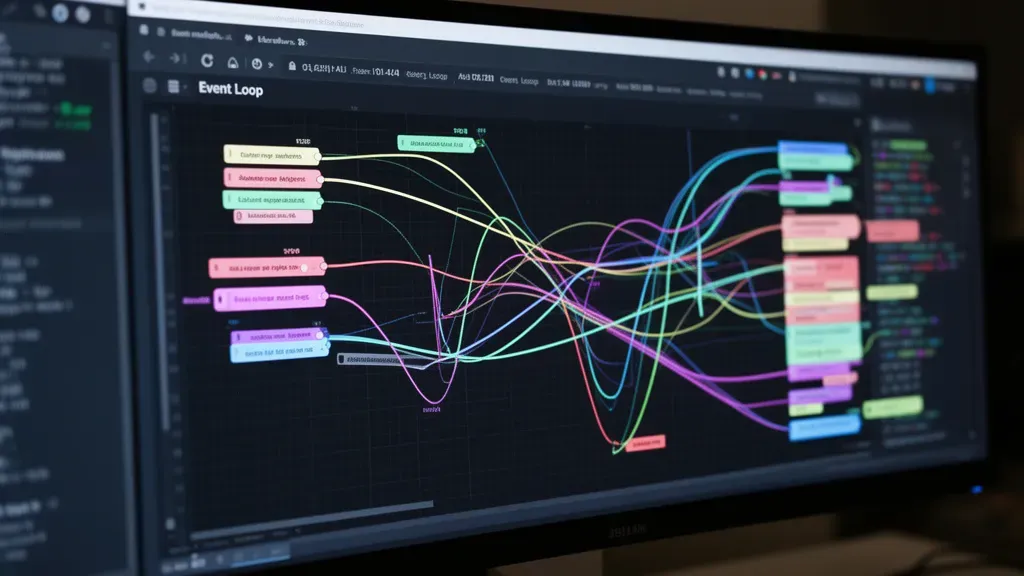
The event loop is the heart of asynchronous programming in JavaScript and Node.js, orchestrating the execution of callbacks, promises, and other tasks without blocking the main thread. Understanding its inner workings is essential for writing efficient, non-blocking code.
At its core, the event loop continuously checks the call stack and the task queue. When the call stack is empty, it picks the first task from the queue and pushes it onto the stack for execution. This mechanism allows the program to handle multiple operations seemingly in parallel, even though JavaScript itself is single-threaded.
Tasks are broadly categorized into macro-tasks and micro-tasks. Macro-tasks include operations like I/O events, setTimeout, setInterval, and rendering. Micro-tasks, on the other hand, are usually promise callbacks and process.nextTick in Node.js. The event loop always empties the entire micro-task queue before moving on to the next macro-task, which can lead to subtle performance nuances.
Consider this snippet:
console.log('Start');

setTimeout(() => {
  console.log('Timeout callback');
}, 0);

Promise.resolve().then(() => {
  console.log('Promise callback');
});

console.log('End');
The output will be:
Start
End
Promise callback
Timeout callback
This happens because the promise callback is a micro-task, which is executed immediately after the current script finishes, while the setTimeout callback is a macro-task, scheduled for the next event loop iteration.
In Node.js, the event loop phases are more granular, consisting of timers, pending callbacks, idle/prepare, poll, check, and close callbacks. Each phase has its own queue of callbacks to process. For example, timers phase handles callbacks scheduled by setTimeout and setInterval, while the poll phase fetches new I/O events.
Here’s a simplified illustration of how tasks move through the event loop:
while (true) {
  // timers phase: execute scheduled timers whose time has expired
  executeTimers();

  // pending callbacks phase: execute I/O callbacks deferred from previous loop
  executePendingCallbacks();

  // idle, prepare: internal operations

  // poll phase: retrieve new I/O events, execute I/O related callbacks
  executePoll();

  // check phase: execute setImmediate callbacks
  executeCheck();

  // close callbacks phase: execute close event callbacks
  executeCloseCallbacks();
}
Understanding this flow helps in predicting when callbacks will execute and can guide strategic placement of asynchronous operations to optimize throughput and latency. For example, setImmediate callbacks always execute after poll phase, making them useful for deferring execution until after I/O.
Another critical aspect is task scheduling and prioritization. Micro-tasks can starve the event loop if they continuously enqueue themselves, blocking the progression of macro-tasks and causing UI freezes or delayed I/O processing. That is why it’s important to avoid tight loops within micro-tasks.
Look at this example where micro-tasks starve the event loop:
function starve() {
  Promise.resolve().then(() => {
    console.log('Micro-task');
    starve();
  });
}

starve();

setTimeout(() => {
  console.log('Timeout callback');
}, 1000);
The timeout callback never gets a chance to execute because the micro-task queue never empties, which is a classic pitfall of misusing promises.
In browsers, requestAnimationFrame is another scheduling tool aligned with the display refresh rate, commonly used for animations. It schedules a callback to run before the next repaint, giving smoother visual updates without blocking the main thread.
When dealing with complex asynchronous flows, tools like async/await simplify reasoning by flattening promise chains, but under the hood, the event loop mechanics still dictate execution order. Being aware of the event loop phases and task queues can help avoid unexpected behavior and performance bottlenecks.
In addition to the event loop itself, the task scheduling APIs offer different guarantees and timing characteristics. For instance, setTimeout with a delay of zero does not guarantee immediate execution; it merely schedules the callback after the current tasks and micro-tasks finish, and the minimum delay enforced by the browser or runtime is often around 4ms.
Understanding these nuances especially important for writing high-performance asynchronous code, especially in environments where timing and responsiveness matter.

Alex Tech 10ft - 1/2 inch Cord Protector Wire Loom Tubing Cable Sleeve Split Sleeving For USB Cable Power Cord Audio Video Cable – Protect Cat From Chewing - Black
$8.99 (as of October 24, 2026 20:23 GMT +00:00 - More infoProduct prices and availability are accurate as of the date/time indicated and are subject to change. Any price and availability information displayed on [relevant Amazon Site(s), as applicable] at the time of purchase will apply to the purchase of this product.)Techniques for reducing latency and improving throughput
Reducing latency and improving throughput in asynchronous JavaScript often revolves around minimizing unnecessary work on the main thread and optimizing how and when tasks are scheduled. One effective technique is to batch multiple small operations into a single task, thereby reducing the overhead of frequent context switches between tasks.
Consider debouncing or throttling rapid event handlers such as scroll or resize events. Without these techniques, a flood of events can overwhelm the event loop, causing jank and degraded performance.
function debounce(fn, delay) {
  let timer = null;
  return function(...args) {
    clearTimeout(timer);
    timer = setTimeout(() => fn.apply(this, args), delay);
  };
}

window.addEventListener('resize', debounce(() => {
  console.log('Resized!');
}, 200));
Throttling can be implemented similarly, ensuring a function runs at most once per specified interval, which is particularly useful for limiting heavy computations or DOM updates triggered by frequent events.
function throttle(fn, limit) {
  let lastCall = 0;
  return function(...args) {
    const now = Date.now();
    if (now - lastCall >= limit) {
      lastCall = now;
      fn.apply(this, args);
    }
  };
}

window.addEventListener('scroll', throttle(() => {
  console.log('Scrolled!');
}, 100));
Another powerful method to reduce latency is offloading CPU-intensive tasks to Web Workers (in browsers) or Worker Threads (in Node.js). This prevents blocking the main thread, keeping the UI responsive or the event loop free to handle I/O.
// Example: Offloading a heavy calculation to a Web Worker

// main.js
const worker = new Worker('worker.js');
worker.postMessage({ task: 'calculate', data: largeDataSet });

worker.onmessage = (e) => {
  console.log('Result:', e.data);
};

// worker.js
self.onmessage = (e) => {
  if (e.data.task === 'calculate') {
    const result = heavyCalculation(e.data.data);
    self.postMessage(result);
  }
};

function heavyCalculation(data) {
  // CPU-intensive processing here
  return data.reduce((acc, val) => acc + val, 0);
}
In Node.js, asynchronous I/O should be preferred over synchronous counterparts to prevent blocking the event loop. For example, using fs.readFile instead of fs.readFileSync allows the event loop to continue processing other tasks while waiting for the file system operation.
const fs = require('fs');

fs.readFile('largefile.txt', 'utf8', (err, data) => {
  if (err) throw err;
  console.log('File contents:', data);
});

console.log('Reading file asynchronously...');
Where possible, using streams can further improve throughput by processing data in chunks rather than loading entire datasets into memory. That’s especially beneficial for large files or network responses.
const fs = require('fs');

const readStream = fs.createReadStream('largefile.txt', { encoding: 'utf8' });
readStream.on('data', (chunk) => {
  console.log('Received chunk:', chunk);
});
readStream.on('end', () => {
  console.log('Finished reading file.');
});
For network requests, using HTTP/2 multiplexing or persistent connections reduces latency by reusing connections and sending multiple requests concurrently over a single TCP connection.
Additionally, when dealing with promises, avoid creating unnecessary promise chains or nesting that delays resolution. Instead, use Promise.all or Promise.race to handle multiple asynchronous operations simultaneously, improving overall throughput.
const fetchData1 = fetch('/api/data1');
const fetchData2 = fetch('/api/data2');

Promise.all([fetchData1, fetchData2]).then(([res1, res2]) => {
  return Promise.all([res1.json(), res2.json()]);
}).then(([data1, data2]) => {
  console.log('Data 1:', data1);
  console.log('Data 2:', data2);
});
Using Promise.race can be useful for implementing timeouts or fallback logic, improving responsiveness by avoiding waiting indefinitely on slow operations.
function fetchWithTimeout(url, timeout = 5000) {
  return Promise.race([
    fetch(url),
    new Promise((_, reject) => setTimeout(() => reject(new Error('Timeout')), timeout))
  ]);
}

fetchWithTimeout('/api/slow-endpoint')
  .then(response => console.log('Response received'))
  .catch(err => console.error(err));
Another subtle but impactful optimization is to minimize the creation of closures and anonymous functions inside frequently called asynchronous callbacks, as these can increase memory usage and GC pressure, indirectly affecting latency.
Lastly, using native asynchronous APIs when available, such as TextDecoderStream for streaming text decoding or AbortController for canceling requests, can help improve resource use and reduce wasted work.
Combining these techniques strategically enables applications to handle high concurrency with lower latency and better throughput, making asynchronous code both fast and scalable. The next step is to understand how to profile and debug such asynchronous flows effectively,
Profiling and debugging asynchronous code effectively
Profiling asynchronous code requires tools that understand the non-linear execution paths and the interplay between callbacks, promises, and timers. Traditional synchronous profilers often fall short because they track call stacks that can be fragmented across multiple event loop turns. Instead, specialized profilers or tracing tools that capture asynchronous call stacks and event timings provide much deeper insight.
In Node.js, the built-in --inspect flag combined with Chrome DevTools allows you to profile asynchronous operations. When you launch your Node.js application with:
node --inspect app.js
you can open Chrome DevTools and use the “Async” call stack feature to see the chain of asynchronous calls leading to the current execution point. This helps identify where promises were created and how callbacks propagate, which is invaluable for tracking down unexpected delays or errors.
Another powerful tool is the async_hooks module in Node.js. It provides lifecycle hooks for asynchronous resources, so that you can monitor when asynchronous operations are initiated, executed, and destroyed.
const async_hooks = require('async_hooks');
const fs = require('fs');

const hook = async_hooks.createHook({
  init(asyncId, type, triggerAsyncId) {
    fs.writeSync(1, Init asyncId: ${asyncId}, type: ${type}, trigger: ${triggerAsyncId}n);
  },
  before(asyncId) {
    fs.writeSync(1, Before asyncId: ${asyncId}n);
  },
  after(asyncId) {
    fs.writeSync(1, After asyncId: ${asyncId}n);
  },
  destroy(asyncId) {
    fs.writeSync(1, Destroy asyncId: ${asyncId}n);
  }
});

hook.enable();

setTimeout(() => {
  console.log('Timeout executed');
}, 100);
This code logs the lifecycle of asynchronous events, enabling you to trace the creation and execution of timers, promises, and other async resources. By correlating these logs with application behavior, you can pinpoint bottlenecks or unexpected execution orders.
For browser environments, the Performance API offers performance.mark() and performance.measure() methods to instrument and measure asynchronous sections of code precisely.
performance.mark('startFetch');

fetch('/api/data')
  .then(response => response.json())
  .then(data => {
    performance.mark('endFetch');
    performance.measure('fetchDuration', 'startFetch', 'endFetch');
    const entries = performance.getEntriesByName('fetchDuration');
    console.log(Fetch took ${entries[0].duration}ms);
  });
Using such instrumentation helps isolate which asynchronous phases consume the most time, guiding optimization efforts.
Debugging asynchronous code also benefits from source maps and async stack traces, which preserve the logical sequence of asynchronous calls. Modern debugging environments show the original source line and asynchronous call chain, making it easier to follow complex flows.
When debugging promise chains or async/await code, wrapping asynchronous calls with try/catch blocks and adding meaningful error logging can prevent silent failures and reveal where exceptions happen.
async function fetchData() {
  try {
    const response = await fetch('/api/data');
    if (!response.ok) throw new Error('Network error');
    const data = await response.json();
    return data;
  } catch (err) {
    console.error('Fetch failed:', err);
    throw err;
  }
}

fetchData().catch(() => {/* handle error if needed */});
For more complex scenarios, visualizing asynchronous flows with sequence diagrams or flamegraphs can clarify timing relationships and resource usage. Tools like 0x or clinic.js in Node.js generate flamegraphs that include asynchronous boundaries.
Memory leaks in asynchronous code are notoriously tricky. They often arise from lingering timers, unresolved promises, or closures holding references longer than necessary. Using heap snapshots in Chrome DevTools or Node.js Inspector can help identify detached DOM nodes or objects retained by asynchronous callbacks.
Finally, logging timestamps at key asynchronous events provides a lightweight but effective way to understand latency patterns. For example:
console.time('dbQuery');
db.query('SELECT * FROM users', (err, results) => {
  console.timeEnd('dbQuery');
  if (err) throw err;
  console.log(results);
});
Combined with careful observation of event loop lag (using tools like node:perf_hooks with the monitorEventLoopDelay API), you can detect when asynchronous tasks are congesting the event loop, causing delays.
const { monitorEventLoopDelay } = require('perf_hooks');
const h = monitorEventLoopDelay({ resolution: 20 });
h.enable();

setInterval(() => {
  console.log(Event loop delay: ${h.mean / 1e6}ms);
  h.reset();
}, 1000);
Profiling and debugging asynchronous code effectively demands a combination of proper instrumentation, specialized tools, and vigilant coding practices that expose the timing and order of asynchronous operations. With these techniques, you can untangle the complexity of asynchronous flows and maintain performant, reliable applications.