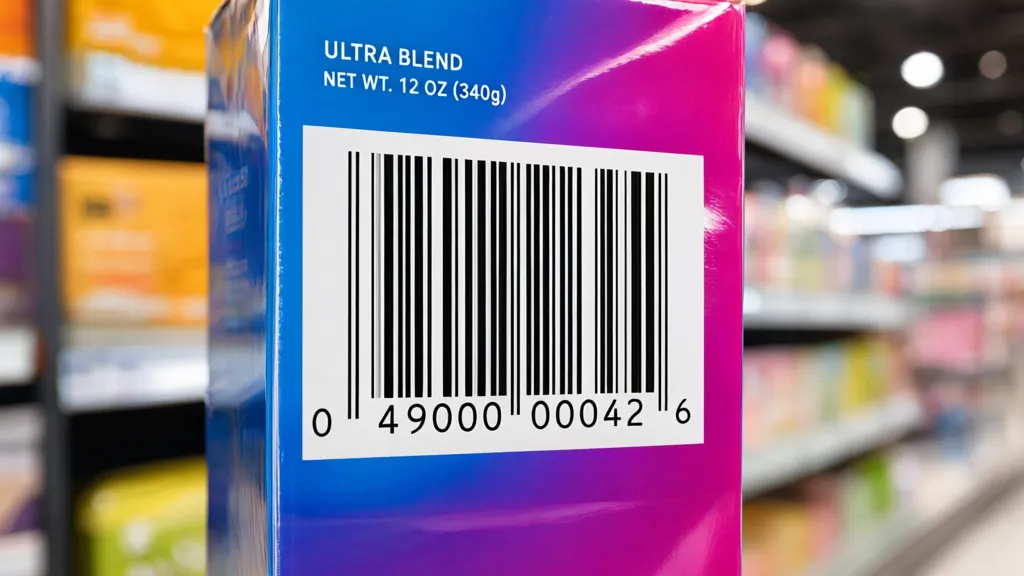
Barcodes come in various types and standards, each serving distinct purposes within the scope of data representation. Understanding these differences is important for selecting the right barcode for your application. The most common forms include UPC, EAN, Code 39, and QR codes, each with its unique structure and use cases.
The Universal Product Code (UPC) is predominantly used in retail. It consists of 12 numeric digits and is designed for tracking trade items in stores. The European Article Number (EAN) is similar but can have 8 or 13 digits, catering to international systems. Both UPC and EAN are linear barcodes, which means they represent data in a one-dimensional format, making them easy to scan with standard barcode readers.
On the other hand, Code 39 is an alphanumeric barcode, which means it can encode both numbers and letters. This flexibility allows it to be used in a wider range of applications, particularly in inventory management and logistics. Code 39 uses a variable length, which can complicate scanning slightly, but it’s widely adopted due to its simplicity and ease of implementation.
Then we have QR codes, which are two-dimensional barcodes capable of storing a significant amount of information, including URLs, text, and more. They can be scanned using smartphones, making them popular for marketing and advertising. Their square shape allows for more data encoding compared to traditional linear barcodes, resulting in a higher data density.
The choice of barcode type often depends on the specific requirements of your project. For instance, if you’re developing a mobile app that needs to scan product labels, a QR code may be the most simple to operate option. In contrast, if you’re working on a retail inventory system, UPC or EAN might be a more suitable choice.
Each barcode standard also has associated specifications and guidelines. For instance, the ISO/IEC 15420 standard governs the use of barcode symbology, ensuring that barcodes are produced and scanned consistently across different platforms. Understanding these standards is essential for ensuring compatibility and functionality across various systems.
When designing a system that utilizes barcodes, consider the environment in which the barcodes will be scanned. Factors such as lighting conditions, scanning distance, and the type of scanner used can all influence the effectiveness of the barcode. Moreover, the size and resolution of the printed barcode can also affect its scannability. For instance, a barcode this is too small may be difficult for scanners to read, while one this is printed too large may not fit well on product packaging.
It’s also worth noting that some industries have specific regulations regarding barcode usage. For example, healthcare applications often require barcodes to comply with standards set by organizations such as the FDA or the GS1. Adhering to these regulations is not only a matter of compliance but also enhances the reliability and safety of the applications built around barcode technology.
Understanding these nuances equips developers with the knowledge to make informed decisions when implementing barcode systems. The next step involves selecting the appropriate libraries for barcode generation, which can streamline the process and ensure that the barcodes generated meet the necessary standards and requirements.
import barcode
from barcode.writer import ImageWriter

# Example of generating a UPC barcode
upc = barcode.get('upc', '123456789012', writer=ImageWriter())
upc.save('upc_barcode')
Now retrieving an image set.
Starbucks Physical Gift Card | $25
$25.00 (as of September 17, 2026 11:49 GMT +00:00 - More infoProduct prices and availability are accurate as of the date/time indicated and are subject to change. Any price and availability information displayed on [relevant Amazon Site(s), as applicable] at the time of purchase will apply to the purchase of this product.)Choosing the right libraries for barcode generation
When it comes to generating barcodes programmatically, several libraries can facilitate the task. Choosing the right library is vital for ensuring that your implementation is efficient and adheres to the required standards. Popular libraries include Python’s python-barcode, which supports multiple barcode formats including UPC, EAN, and Code 39. Another well-regarded library is reportlab, which, while primarily a PDF generation library, also offers capabilities for barcode creation.
For Java developers, the ZXing (Zebra Crossing) library is a widely used option. It supports a variety of barcode formats, including QR codes, and is known for its robust scanning capabilities. The library can be incorporated into both Android applications and server-side Java applications, providing flexibility for different types of projects.
In the .NET ecosystem, the ZXing.Net library serves a similar purpose, allowing developers to generate and read barcodes with ease. It’s particularly useful in environments where integration with existing .NET applications is required. Additionally, there are commercial libraries available that offer advanced features, such as barcode validation and enhanced error correction, which can be beneficial for enterprise-level applications.
When selecting a library, consider factors such as ease of use, community support, and documentation quality. A well-documented library can save significant time during development, as it reduces the learning curve and provides examples to work from. For instance, the following Python code snippet demonstrates how to generate a QR code using the qrcode library:
import qrcode

# Example of generating a QR code
data = "https://example.com"
qr = qrcode.QRCode(version=1, box_size=10, border=5)
qr.add_data(data)
qr.make(fit=True)

img = qr.make_image(fill_color="black", back_color="white")
img.save("qr_code.png")
Integration of these libraries into your application is typically simpler. Most libraries provide functions to generate the barcode image directly, along with options for customization, such as size and color. This flexibility allows developers to tailor the appearance of the barcodes to match the design of their application or product packaging.
Beyond simple barcode generation, some libraries also offer features for barcode validation and error correction. These features can be particularly useful in environments where data integrity is critical. For instance, when dealing with inventory management systems, ensuring that the scanned barcode matches the expected value can prevent costly errors.
As you implement barcode creation in your applications, keep in mind the performance implications of generating barcodes in real-time. Depending on the complexity of the barcode and the resources of the device, generating barcodes on-the-fly may introduce latency. To mitigate this, consider pre-generating barcodes and caching them for quick retrieval during scanning operations.
Another important aspect to consider is the output format of the generated barcodes. While PNG and JPEG are common formats for images, some applications may require vector formats like SVG or PDF for scalability without loss of quality. Libraries such as reportlab can help in generating barcodes in these formats, ensuring that they remain crisp and clear regardless of the size at which they are displayed or printed.
Once you have selected a library and established your barcode generation process, it’s essential to test the generated barcodes thoroughly. Use a variety of barcode scanners to ensure compatibility and readability across different devices. This testing phase is important in identifying any potential issues that may arise during real-world usage, especially in environments with varying lighting conditions or scanner capabilities.
Implementing barcode creation in your applications
Implementing barcode creation in your applications requires a careful approach to ensure that the generated barcodes are not only accurate but also meet the specifications of the intended use case. The first step is to set up the necessary libraries that facilitate barcode generation. Depending on the programming language you’re using, there are various libraries available that can simplify this process.
In Python, for example, the python-barcode library provides an easy-to-use interface for generating barcodes in different formats. Below is a code snippet that demonstrates how to generate a Code 39 barcode using this library:
import barcode
from barcode.writer import ImageWriter

# Generate a Code 39 barcode
code39 = barcode.get('code39', 'HELLO123', writer=ImageWriter())
code39.save('code39_barcode')
This snippet shows how to create a barcode with alphanumeric data, which can be particularly useful in applications that require more than just numeric input. The ImageWriter allows you to save the barcode as an image file, which can then be used in your application.
For applications that require QR code generation, the qrcode library is a robust choice. It allows for the inclusion of various data types, such as URLs or plain text, and can be customized to fit your design needs. The following example illustrates how to create a QR code:
import qrcode

# Generate a QR code
data = "https://example.com"
qr = qrcode.QRCode(version=1, box_size=10, border=5)
qr.add_data(data)
qr.make(fit=True)

img = qr.make_image(fill_color="black", back_color="white")
img.save("qr_code.png")
Incorporating these generated barcodes into your user interface can enhance user experience, especially in mobile applications where scanning capabilities are often required. Ensure that the placement of barcodes is intuitive, allowing users to easily scan them without confusion.
When creating barcodes, it’s important to consider the size and resolution. A barcode this is too small may be difficult for scanners to read, while one that’s overly large may not fit well in the designated area of a product or document. Testing different sizes to find the optimal dimensions for your specific application can save headaches later on.
Moreover, the quality of the printed barcode plays a significant role in its scannability. Ensure that the printing process maintains high resolution and that the contrast between the barcode and its background is sufficient. A barcode this is faint or poorly printed will lead to scanning errors and user frustration.
Another consideration is the barcode’s error correction capabilities. Some barcode formats, like QR codes, include built-in error correction, allowing them to be scanned even if they are partially damaged or obscured. This feature can be particularly beneficial in environments where barcodes may be exposed to wear and tear.
As you integrate barcode functionality, be mindful of the overall architecture of your application. If barcodes are to be generated dynamically based on user input or real-time data, consider the performance implications. Generating complex barcodes on-the-fly might introduce latency, impacting user experience. Caching frequently used barcodes can help mitigate this issue.