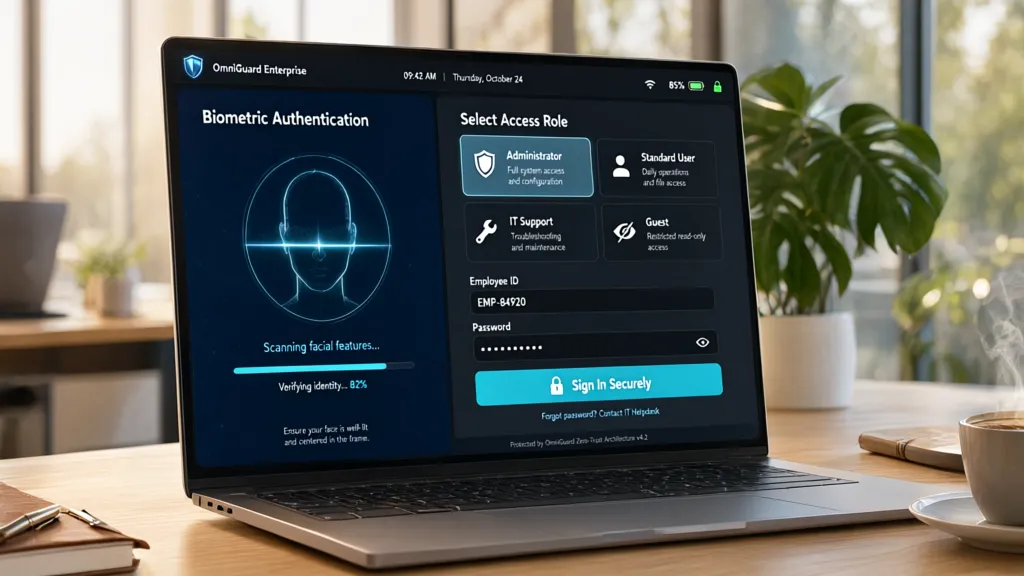
In many applications, the default authentication mechanisms simply do not meet the unique requirements of the system. This is particularly true in environments where user roles and permissions are highly specialized, or when integrating with third-party systems that require a tailored approach to authentication.
Custom authentication allows developers to create a solution that precisely fits the needs of their application, rather than forcing the application to conform to a rigid framework. This can involve anything from custom login forms to complex multi-factor authentication schemes.
Consider a scenario where an application needs to authenticate users based on their organizational roles. A simpler username and password approach may not suffice. Instead, you might need to dive deeper into the user data, pulling from a custom database or an external API to validate credentials.
def custom_authenticate(username, password):
    user = get_user_from_db(username)
    if user and user.check_password(password):
        return user
    return None
Moreover, with the increasing emphasis on security, the ability to implement features such as rate limiting, IP whitelisting, or advanced logging becomes crucial. A custom solution provides the flexibility to add these features without the constraints of a predefined library.
When building a custom authentication system, it is essential to consider how it will interact with other parts of the application. For instance, how will you manage user sessions? What about token expiration? These are all factors that can complicate the implementation but can be addressed thoughtfully with a custom approach.
from datetime import datetime, timedelta

def create_session(user):
    session_token = generate_token(user)
    expiration = datetime.now() + timedelta(hours=1)
    save_session_to_db(user.id, session_token, expiration)
    return session_token
The power of custom authentication lies in its adaptability. As requirements evolve, so too can your authentication strategy. For example, you may start with basic username/password authentication but later decide to integrate social logins or biometric verification. Building from the ground up allows you to incorporate these changes seamlessly.
It’s also worth noting that a custom authentication system will often require thorough testing to ensure reliability and security. You’ll want to validate not just that the authentication works, but that it fails gracefully, providing meaningful feedback to users while not exposing any sensitive information.
def test_authentication():
    assert custom_authenticate('valid_user', 'valid_password') is not None
    assert custom_authenticate('invalid_user', 'any_password') is None

Now retrieving an image set.
Cable Zip Ties,400 Pack Black Assorted Sizes 12+8+6+4 Inch,Multi-Purpose Self-Locking Nylon Cable Cord Management,Plastic Wire Ties for Home,Office,Garden,Workshop. By HAVE ME TD
$6.99 (as of September 17, 2026 11:49 GMT +00:00 - More infoProduct prices and availability are accurate as of the date/time indicated and are subject to change. Any price and availability information displayed on [relevant Amazon Site(s), as applicable] at the time of purchase will apply to the purchase of this product.)Implementing a custom authentication backend
To implement a custom authentication backend, you’ll typically start by defining a class that adheres to the required interface of your framework. For example, in Django, this means subclassing the BaseBackend class and overriding necessary methods.
from django.contrib.auth.backends import BaseBackend
from .models import User

class CustomAuthBackend(BaseBackend):
    def authenticate(self, request, username=None, password=None, **kwargs):
        user = User.objects.filter(username=username).first()
        if user and user.check_password(password):
            return user
        return None

    def get_user(self, user_id):
        try:
            return User.objects.get(pk=user_id)
        except User.DoesNotExist:
            return None
Once you have the backend in place, configuring it within your application’s settings is important. This usually involves adding your custom backend to the authentication backends list. In Django, that’s done in the settings.py file.
AUTHENTICATION_BACKENDS = [
    'yourapp.backends.CustomAuthBackend',
    'django.contrib.auth.backends.ModelBackend',  # Default backend
]
Next, consider how you’ll handle user registration and management. A custom backend often necessitates a custom user model or extended user attributes. This allows you to store additional information that may be required for your authentication logic.
from django.contrib.auth.models import AbstractUser

class CustomUser(AbstractUser):
    organization = models.CharField(max_length=255)
    # Additional fields as needed
After implementing the backend and user model, focus on creating the necessary views and forms for user login and registration. Custom forms can help ensure that the data being submitted aligns with your authentication requirements.
from django import forms

class CustomLoginForm(forms.Form):
    username = forms.CharField(max_length=150)
    password = forms.CharField(widget=forms.PasswordInput)
Testing your custom authentication backend is essential to ensure that it handles all edge cases. This includes testing for valid credentials, invalid credentials, and checking the behavior when a user is not found in the database.
def test_custom_auth_backend():
    backend = CustomAuthBackend()
    user = backend.authenticate(None, username='valid_user', password='valid_password')
    assert user is not None
    assert backend.authenticate(None, username='invalid_user', password='any_password') is None
Furthermore, logging is an important aspect of any authentication system. Implementing logging within your custom backend can help track authentication attempts, which is useful for monitoring security issues and understanding user behavior.
import logging

logger = logging.getLogger(__name__)

class CustomAuthBackend(BaseBackend):
    def authenticate(self, request, username=None, password=None, **kwargs):
        user = User.objects.filter(username=username).first()
        if user and user.check_password(password):
            logger.info(f"User {username} authenticated successfully.")
            return user
        logger.warning(f"Failed authentication attempt for {username}.")
        return None
As you expand the functionality of your custom authentication backend, consider implementing features like password resets, email verification, and multi-factor authentication. Each of these features adds complexity but significantly enhances security and user experience.
def send_password_reset_email(user):
    # Logic to send email to user for password reset
    pass
Integrating third-party services can also be a part of the custom authentication process. This might involve using OAuth for social logins or integrating with an identity provider for SSO. Each integration will require careful handling of tokens and user sessions to maintain security.
import requests

def authenticate_with_oauth(token):
    response = requests.get('https://api.oauthprovider.com/userinfo', headers={'Authorization': f'Bearer {token}'})
    if response.status_code == 200:
        return response.json()
    return None
Testing and integrating your custom backend
Testing your custom authentication backend is essential to ensure that it handles all edge cases. This includes testing for valid credentials, invalid credentials, and checking the behavior when a user is not found in the database.
def test_custom_auth_backend():
    backend = CustomAuthBackend()
    user = backend.authenticate(None, username='valid_user', password='valid_password')
    assert user is not None
    assert backend.authenticate(None, username='invalid_user', password='any_password') is None
Furthermore, logging is an important aspect of any authentication system. Implementing logging within your custom backend can help track authentication attempts, which is useful for monitoring security issues and understanding user behavior.
import logging

logger = logging.getLogger(__name__)

class CustomAuthBackend(BaseBackend):
    def authenticate(self, request, username=None, password=None, **kwargs):
        user = User.objects.filter(username=username).first()
        if user and user.check_password(password):
            logger.info(f"User {username} authenticated successfully.")
            return user
        logger.warning(f"Failed authentication attempt for {username}.")
        return None
As you expand the functionality of your custom authentication backend, consider implementing features like password resets, email verification, and multi-factor authentication. Each of these features adds complexity but significantly enhances security and user experience.
def send_password_reset_email(user):
    # Logic to send email to user for password reset
    pass
Integrating third-party services can also be a part of the custom authentication process. This might involve using OAuth for social logins or integrating with an identity provider for SSO. Each integration will require careful handling of tokens and user sessions to maintain security.
import requests

def authenticate_with_oauth(token):
    response = requests.get('https://api.oauthprovider.com/userinfo', headers={'Authorization': f'Bearer {token}'})
    if response.status_code == 200:
        return response.json()
    return None
When deploying your custom authentication system, ensure that you have robust error handling in place. This not only improves user experience but also helps to mitigate potential security vulnerabilities.
def handle_authentication_error(error):
    logger.error(f"Authentication error: {error}")
    # Logic to notify the user or log the error
Additionally, monitoring user behavior and authentication patterns can provide valuable insights into how users interact with your application. This data can inform future enhancements and security measures.
def log_user_activity(user_id, action):
    logger.info(f"User {user_id} performed action: {action}")