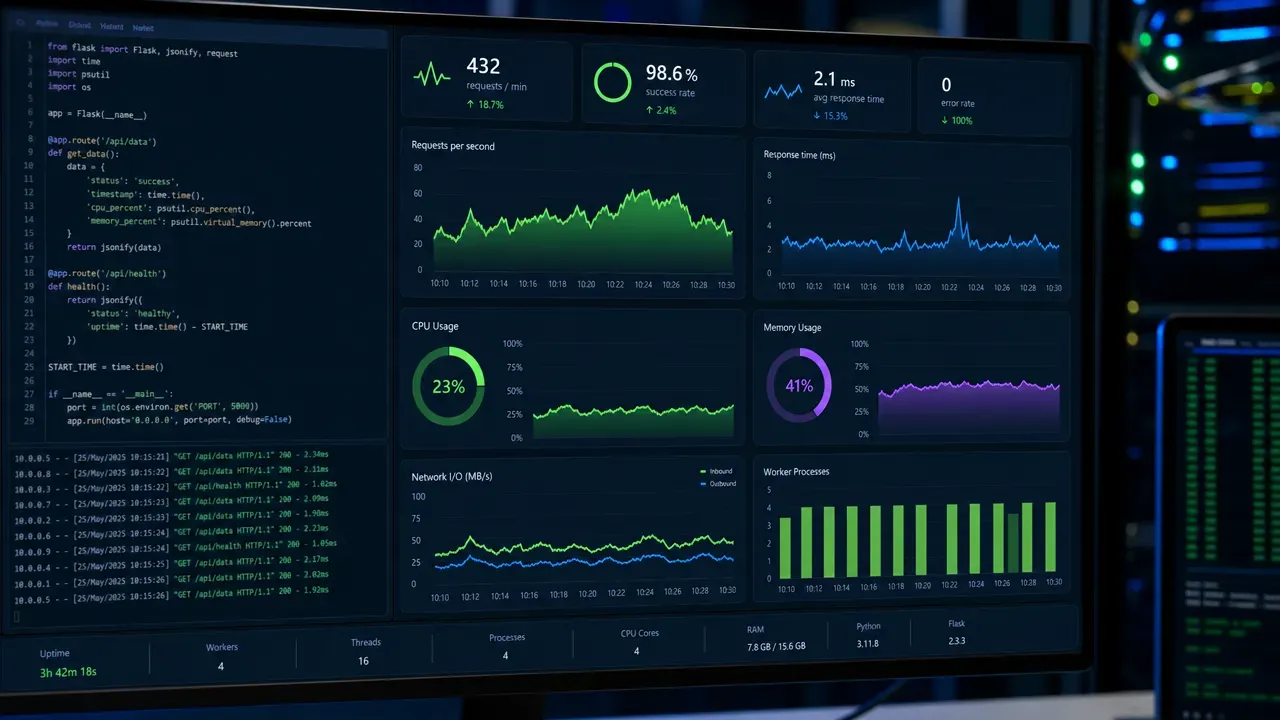
Flask applications can often become bogged down by various bottlenecks that hinder performance. Identifying these bottlenecks very important for enhancing the responsiveness of your application. One common area to examine is the request handling process. As your application scales, it’s easy to overlook how request latency can accumulate, especially if you’re performing heavy computations or database queries directly in the request cycle.
Another aspect to consider is the use of synchronous code for I/O operations. Python’s Flask is single-threaded by default, which means that if a request is waiting on I/O, it blocks other requests from being processed. Using asynchronous programming can alleviate some of this pressure. For instance, integrating libraries like asyncio or using Flask with Quart can allow for concurrent request handling.
Database access patterns can also be a significant source of slowdowns. If you’re making multiple queries to the database without proper indexing or batching, this can lead to a dramatic increase in request processing time. It’s often better to fetch all necessary data in a single query rather than multiple round trips to the database.
from flask import Flask, jsonify
import sqlite3

app = Flask(__name__)

def fetch_data():
    conn = sqlite3.connect('example.db')
    cursor = conn.cursor()
    cursor.execute("SELECT * FROM data")
    results = cursor.fetchall()
    conn.close()
    return results

@app.route('/data')
def get_data():
    data = fetch_data()
    return jsonify(data)
In the above example, the database fetch is done synchronously, which can block your application. By optimizing database access, you can greatly improve performance. Consider using an ORM like SQLAlchemy, which allows for more complex queries without sacrificing readability or performance. Additionally, caching frequently accessed data can provide a significant boost.
from flask_caching import Cache

cache = Cache(app)

@app.route('/cached-data')
@cache.cached(timeout=60)
def cached_data():
    data = fetch_data()
    return jsonify(data)
Implementing caching strategies can reduce the load on your database and improve response times for users. This can be particularly effective for read-heavy applications, where the same data is requested multiple times. It’s important to strike a balance when caching; stale data can lead to inconsistencies, so consider your cache expiration policies carefully.
Monitoring your application’s performance through logging is another key practice. By logging the time taken for various operations, you can identify which parts of your application are slowing down the user experience. Using tools like Flask-Sentry or integrating with external monitoring services can provide insights into real-time performance.
import time
import logging

logging.basicConfig(level=logging.INFO)

@app.route('/time-sensitive-data')
def time_sensitive_data():
    start_time = time.time()
    data = fetch_data()
    duration = time.time() - start_time
    logging.info(f"Data fetch took {duration:.2f} seconds")
    return jsonify(data)
By keeping an eye on these metrics, you can make informed decisions about where to focus your optimization efforts. As you refine your application, consider the end-user experience; even minor improvements can lead to significant enhancements in perceived performance. Each layer of your application can introduce delays, so a holistic view is essential when diagnosing performance issues.

Amazon Fire TV Stick HD (newest model), free & live TV, Alexa Voice Remote, powered by the TV, effortless setup, find shows faster with Alexa+
$39.99 (as of September 23, 2026 17:03 GMT +00:00 - More infoProduct prices and availability are accurate as of the date/time indicated and are subject to change. Any price and availability information displayed on [relevant Amazon Site(s), as applicable] at the time of purchase will apply to the purchase of this product.)Using profiling tools to gain insights
Profiling tools are indispensable when it comes to uncovering the root causes of performance bottlenecks. They let you see exactly where your application spends its time and which functions consume the most resources. Python offers several options, but one of the simplest to start with is the built-in cProfile module. Running your Flask app under cProfile can reveal unexpected hotspots.
import cProfile
from myapp import app

def run():
    app.run()

if __name__ == "__main__":
    profiler = cProfile.Profile()
    profiler.enable()
    run()
    profiler.disable()
    profiler.print_stats(sort='time')
This will output a detailed breakdown of function calls and the time spent in each, sorted by the most expensive operations. However, raw profile output can be overwhelming. Tools like snakeviz or pyprof2calltree convert this data into visual graphs, making it easier to spot performance drains.
Another approach is to profile specific request handlers rather than the whole application. This can be done by integrating profiling decorators that wrap around your view functions, timing only the critical sections.
from functools import wraps
import time
import logging

def profile_route(f):
    @wraps(f)
    def decorated_function(*args, **kwargs):
        start = time.perf_counter()
        result = f(*args, **kwargs)
        duration = time.perf_counter() - start
        logging.info(f"Route {f.__name__} took {duration:.4f} seconds")
        return result
    return decorated_function

@app.route('/profiled')
@profile_route
def profiled_route():
    data = fetch_data()
    return jsonify(data)
Beyond timing, memory profiling very important when you suspect leaks or excessive usage. Libraries like memory_profiler and objgraph allow you to track memory consumption line-by-line and visualize object graphs to identify unexpected retention.
For database query analysis, integrating Flask with SQLAlchemy’s event system or using tools like Flask-SQLAlchemy with query logging enabled can expose inefficient queries. Logging all SQL statements with their execution times helps pinpoint N+1 query problems or slow joins.
import logging
from sqlalchemy import event
from sqlalchemy.engine import Engine

logging.basicConfig()
logging.getLogger('sqlalchemy.engine').setLevel(logging.INFO)

@event.listens_for(Engine, "before_cursor_execute")
def before_cursor_execute(conn, cursor, statement, parameters, context, executemany):
    conn.info.setdefault('query_start_time', []).append(time.time())

@event.listens_for(Engine, "after_cursor_execute")
def after_cursor_execute(conn, cursor, statement, parameters, context, executemany):
    total = time.time() - conn.info['query_start_time'].pop(-1)
    logging.info(f"Query: {statement} took {total:.4f} seconds")
Using external APM (Application Performance Monitoring) tools like New Relic, Datadog, or Sentry can provide continuous profiling, error tracking, and real user monitoring. These platforms often integrate with Flask and give you dashboards that highlight slow endpoints, error rates, and database performance in real time.
Profiling is not a one-time task but an iterative process. Each insight leads to targeted optimizations, which you then re-profile to verify improvements. Without this feedback loop, you risk optimizing the wrong parts of your code or introducing regressions. The key is to measure before and after every change to maintain a clear picture of your app’s evolving performance landscape.
Profiling can also be integrated into your testing pipeline. By running benchmarks and profiling during automated tests, you catch performance degradations early. This is especially important as your codebase grows and complexity increases.
For asynchronous or multi-threaded Flask setups, profiling tools need to support concurrency. Libraries like Py-Spy provide sampling profilers that work with running Python programs without modification. They can attach to your Flask process and generate flame graphs, showing call stacks over time.
Once you have gathered profiling data, the next step is to analyze it critically. Look for functions with high cumulative time, but also pay attention to functions called excessively. Sometimes a small function called thousands of times can be the real culprit. Consider inlining such calls or caching results if possible.
Profiling helps you avoid premature optimization by focusing your effort where it counts. It also exposes unexpected interactions between components—for example, a utility function that seems trivial but is called inside a tight loop, multiplying its cost.
In practice, combining multiple profiling methods—CPU, memory, database queries, and request timing—provides the most comprehensive view. Each reveals a different facet of your app’s performance, and together they allow you to build a mental model of where delays originate and how to fix them.
Efficiency in Flask often comes down to understanding the flow of data and control through your application. Profiling tools turn this abstract flow into concrete numbers and graphs, making the invisible visible. They show you where the time goes, which is the first step to making it go faster. Once you have this insight, you can move on to practical optimization techniques that transform your findings into tangible improvements.
Optimizing performance through practical techniques
Optimizing a Flask application often begins with reducing unnecessary work. One simpler approach is to minimize the payload size. Compressing responses with tools like Flask-Compress can significantly cut down bandwidth and improve load times, especially for JSON-heavy APIs.
from flask_compress import Compress

app = Flask(__name__)
Compress(app)

@app.route('/large-data')
def large_data():
    data = fetch_data()
    return jsonify(data)
Another practical technique is to offload expensive computations or I/O-bound tasks to background workers. Using a task queue like Celery enables your Flask app to respond immediately while processing happens asynchronously. That is particularly useful for tasks such as sending emails, image processing, or calling external APIs.
from celery import Celery

celery_app = Celery('tasks', broker='redis://localhost:6379/0')

@celery_app.task
def process_data(data_id):
    # Long running processing here
    pass

@app.route('/start-task/')
def start_task(data_id):
    process_data.delay(data_id)
    return "Task started", 202
Database optimization is critical. Beyond caching and query batching, ensure your indexes align with your query patterns. Use EXPLAIN plans to understand how queries execute and adjust your schema accordingly. Sometimes denormalization or materialized views can speed up reads at the cost of more complex writes.
Connection pooling is another key optimization. Opening and closing database connections for every request is expensive. Tools like SQLAlchemy provide connection pooling out of the box, which keeps connections alive and ready to use, reducing latency.
from sqlalchemy import create_engine
from sqlalchemy.orm import sessionmaker

engine = create_engine('sqlite:///example.db', pool_size=10, max_overflow=20)
Session = sessionmaker(bind=engine)

def fetch_data():
    session = Session()
    results = session.execute("SELECT * FROM data").fetchall()
    session.close()
    return results
Template rendering can also be a bottleneck. Flask uses Jinja2, which is fast, but rendering large or complex templates repeatedly can slow down response times. Use template caching where possible, or pre-render parts of templates if the content is static or changes infrequently.
Profiling often reveals that serialization and deserialization of data take a significant portion of request time. If you find JSON serialization is a bottleneck, consider faster libraries like orjson or ujson, which can replace Flask’s default JSON encoder.
import orjson
from flask import Response

@app.route('/fast-json')
def fast_json():
    data = fetch_data()
    return Response(orjson.dumps(data), mimetype='application/json')
HTTP/2 and keep-alive connections can also improve performance by reducing the overhead of establishing connections for each request. Configuring your production server (e.g., Gunicorn or uWSGI behind NGINX) to support these protocols allows multiple requests to reuse the same connection efficiently.
Finally, consider the deployment environment. Running Flask behind a reverse proxy that handles SSL termination, gzip compression, and static file serving frees your application from these duties. Offloading static assets to a CDN reduces latency and server load. Each of these infrastructure tweaks contributes to a faster, more scalable Flask app.