
When working with regular expressions in Python, the re.DOTALL flag can be a game-changer. Normally, the dot (.) in a regex pattern matches any character except the newline (n). That is sensible most of the time, but it becomes limiting if you want to match across multiple lines without explicitly handling newlines.
Enter re.DOTALL (sometimes called “single-line mode”). This flag makes the dot match literally every character, including newlines. Suddenly, your regex can span multiple lines without wrestling with awkward constructs like [sS] or (.|n).
Here’s the key: re.DOTALL changes the behavior of . globally in the pattern. If you want to capture a block of text that may include line breaks—say, everything between two markers—it’s your friend. Without it, the dot stops at the first newline, often causing your match to truncate prematurely.
To activate this flag, you can pass it as an argument to re.compile() or directly in re.search(), re.match(), etc. Like this:
import re

pattern = re.compile(r"start(.*)end", re.DOTALL)
text = "start line onenline twonend"

match = pattern.search(text)
if match:
    print(match.group(1))
This will print the entire chunk between “start” and “end”, including the newline characters. Without re.DOTALL, the match would stop at the newline after “line one”.
It’s worth noting that re.DOTALL is sometimes confused with re.MULTILINE, but they do very different things. re.MULTILINE changes the behavior of ^ and $ anchors to match the start and end of each line within the string, rather than just the start and end of the entire string. re.DOTALL affects what the dot matches.
When you want to extract or manipulate blocks of text that span lines—like HTML tags, multi-line comments, or even log entries—using re.DOTALL is often the simplest, cleanest approach. No need for complicated workarounds.
One subtlety to keep in mind: re.DOTALL doesn’t make your regex “lazy” or “greedy” by itself. It only changes what . can match. You still need to carefully control repetition with ? or other quantifiers to avoid catastrophic backtracking or unintended matches.
Try this quick snippet to see the difference:
import re

text = "abcndefnghi"

print(re.search(r"abc.*ghi", text))  # None, because dot won’t match newline
print(re.search(r"abc.*ghi", text, re.DOTALL))  # Match object, dot matches newline
Notice the first search returns None because .* stops at the newline after “abc”. With re.DOTALL, it matches all the way through “ghi”.
There’s no magic wand here, though. If your pattern combines dots with other anchors or character classes, understand how re.DOTALL interacts with each. For example, if you have ^.*$ with re.DOTALL, it will greedily match the entire string, including all newlines, since the dot includes those now.
In practice, I usually recommend explicitly compiling your regex with re.DOTALL when you expect multi-line matches. It keeps your intent clear, and your code readable. Trying to hack around with [sS] or other constructs just to match newlines tends to confuse future you—or other developers who need to maintain your code.
Here’s the same example without re.DOTALL, but with a workaround using character classes:
pattern = re.compile(r"start([sS]*)end")
match = pattern.search(text)
if match:
    print(match.group(1))
This does work, but it’s more verbose and less obvious. Also, it doesn’t scale well if you want to combine it with other flags or more complex patterns.
So, whenever you see a regex with dots and you need to match across lines, the first thing to check is whether re.DOTALL fits your use case. It’s the simplest way to tell Python’s regex engine to treat the input as one big chunk of text rather than a line-by-line playground.
Moving forward, let’s dig into some practical examples of how this plays out in real-world scenarios like parsing multi-line strings or extracting blocks of code or text from logs. The difference between having re.DOTALL enabled and not can be night and day.
Imagine you want to grab the content of a multi-line comment in a script:
text = """
# That's a comment
# that spans multiple lines
# and we want to capture it all
"""

pattern = re.compile(r"#(.*)", re.DOTALL)
match = pattern.search(text)
if match:
    print(match.group(1))
What do you expect here? Actually, this won’t work as intended because .* is greedy but the pattern is anchored to the first #. You’d need to adjust the pattern to capture all lines starting with #. That’s where combining flags and careful pattern crafting comes into play.
Try this instead:
pattern = re.compile(r"(#.*(?:n#.*)*)", re.DOTALL)
match = pattern.search(text)
if match:
    print(match.group(1))
This captures one or more lines beginning with #, including newlines. Notice how re.DOTALL makes .* swallow newlines, allowing the (?:n#.*)* to match subsequent comment lines smoothly.
Without re.DOTALL, you’d have to use more cumbersome patterns or pre-process the string line-by-line, which is less elegant and more error-prone.
Understanding the nuances of re.DOTALL can save you hours of debugging when your regex refuses to match multi-line content as expected. It’s one of those flags that feels obvious once you know it, but elusive until then.
Keep in mind: if your goal is to parse complex, nested structures or deeply multiline blocks, regex might not be the best tool. Sometimes a proper parser or tokenizer is warranted. But for quick-and-dirty multi-line grabs, re.DOTALL is your best friend.
Let’s see how this plays out in some practical scenarios next, where you’ll see re.DOTALL in action alongside other useful regex tricks.
Imagine you have a log file with entries separated by blank lines, and you want to extract entire entries that span multiple lines. Without re.DOTALL, a regex like r"Entry: (.*)\n\n" would only capture up to the first newline in each entry, missing the rest.
With re.DOTALL, you can capture everything between markers regardless of newlines:
log = """
Entry: User login
Time: 2024-06-15 10:23:45
Status: Success

Entry: User logout
Time: 2024-06-15 10:45:12
Status: Success
"""

entries = re.findall(r"Entry: (.*?)\n\n", log, re.DOTALL)
for e in entries:
    print("Entry block:")
    print(e)
    print("-----")
Notice the use of .*? for non-greedy matching combined with re.DOTALL to ensure the dot matches newlines. This way, you get each multi-line log entry cleanly.
On the other hand, if you forget re.DOTALL, your captures will truncate at the first newline, giving you incomplete data which is often the root cause of subtle bugs in text processing.
There’s also the handy re.S alias for re.DOTALL, so you’ll sometimes see this instead:
pattern = re.compile(r"start(.*)end", re.S)
Same effect, less typing. Just a heads-up for when you encounter legacy code or terse snippets online.
In summary, re.DOTALL transforms the dot into a true wildcard, letting you match across line boundaries simply. It’s a simple switch with profound impact on how your regex behaves.
Next, we’ll jump into practical examples where this makes a tangible difference, showing how it can clean up your code and simplify tricky multi-line matches without resorting to hacks or manual string manipulation.
One last note before we proceed: always test your regex patterns with and without re.DOTALL when dealing with multi-line input. It’s the fastest way to understand how line breaks are being handled and to avoid silent failures or partial matches that are hard to debug.
With that in mind, let’s look at some concrete use cases where re.DOTALL shines, and where it might actually trip you up if you’re not careful. Spoiler: it’s not always a silver bullet.
For instance, consider parsing an HTML snippet to grab content between tags:
html = "<div>HellonWorld</div>"

pattern = re.compile(r"<div>(.*)</div>", re.DOTALL)
match = pattern.search(html)
if match:
    print(match.group(1))
Here, the dot matches the newline between “Hello” and “World,” letting you capture the entire inner text. Without re.DOTALL, you’d only get “Hello” because the dot stops at the newline.
That said, parsing HTML with regex is a classic rabbit hole. For anything beyond simple snippets, use an HTML parser.
But for quick extraction or cleanup tasks, re.DOTALL is often the easiest way to handle multi-line content inside tags or delimiters.
Keep this mental model: re.DOTALL = dot matches everything, including newlines. Use it whenever you want your regex to treat the input as a continuous stream rather than a line-by-line pattern.
Now, shifting gears to practical examples…
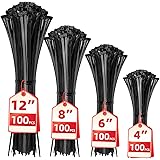
Cable Zip Ties,400 Pack Black Assorted Sizes 12+8+6+4 Inch,Multi-Purpose Self-Locking Nylon Cable Cord Management,Plastic Wire Ties for Home,Office,Garden,Workshop. By HAVE ME TD
$6.99 (as of October 15, 2026 00:39 GMT +00:00 - More infoProduct prices and availability are accurate as of the date/time indicated and are subject to change. Any price and availability information displayed on [relevant Amazon Site(s), as applicable] at the time of purchase will apply to the purchase of this product.)Practical examples of single-line mode in action
Say you want to extract Python triple-quoted string literals from source code. These often span multiple lines, and a naive regex without re.DOTALL will fail to capture the entire string:
code = '''
def foo():
    s = """This is a
multi-line string
literal."""
    return s
'''

pattern = re.compile(r'"""(.*)"""')
match = pattern.search(code)
print(match)  # None, because dot does not match newline
Now add re.DOTALL and watch it work:
pattern = re.compile(r'"""(.*?)"""', re.DOTALL)
match = pattern.search(code)
if match:
    print(match.group(1))
This prints the full multi-line string inside the triple quotes. The non-greedy .*? ensures it stops at the first closing triple quote, avoiding overshoot.
Another common use case: parsing multi-line JSON blobs embedded in logs or text files where you want to extract the entire JSON string between delimiters. Without re.DOTALL, the regex will fail at newlines:
log = '''
[INFO] Received payload:
{
    "user": "alice",
    "action": "login",
    "time": "2024-06-15T10:23:45Z"
}
[INFO] Processing complete
'''

pattern = re.compile(r"{(.*)}")
match = pattern.search(log)
print(match)  # None, because dot excludes newlines
With re.DOTALL:
pattern = re.compile(r"{(.*)}", re.DOTALL)
match = pattern.search(log)
if match:
    print(match.group(1))
You get the full JSON object content, complete with line breaks and indentation intact. That’s invaluable when you want to extract, then parse or validate JSON or other structured data embedded in text.
In log file analysis, sometimes you want to grab stack traces that span multiple lines. A stack trace might start with a line like Traceback (most recent call last): and continue for several lines. Here’s a quick pattern:
log = '''
Error occurred:
Traceback (most recent call last):
  File "app.py", line 10, in <module>
    main()
  File "app.py", line 6, in main
    raise Exception("Oops")
Exception: Oops
End of log
'''

pattern = re.compile(r"Traceback (most recent call last):(.*?)(?:End of log|$)", re.DOTALL)
match = pattern.search(log)
if match:
    print("Stack trace:")
    print(match.group(1).strip())
This captures the entire stack trace block between the “Traceback” line and the “End of log” marker (or end of string). The re.DOTALL flag lets .*? span multiple lines, and the non-greedy quantifier prevents it from swallowing everything after.
When writing extraction scripts for configuration files or code snippets, re.DOTALL is a huge time-saver. It lets you treat multi-line chunks as single matches, simplifying your logic.