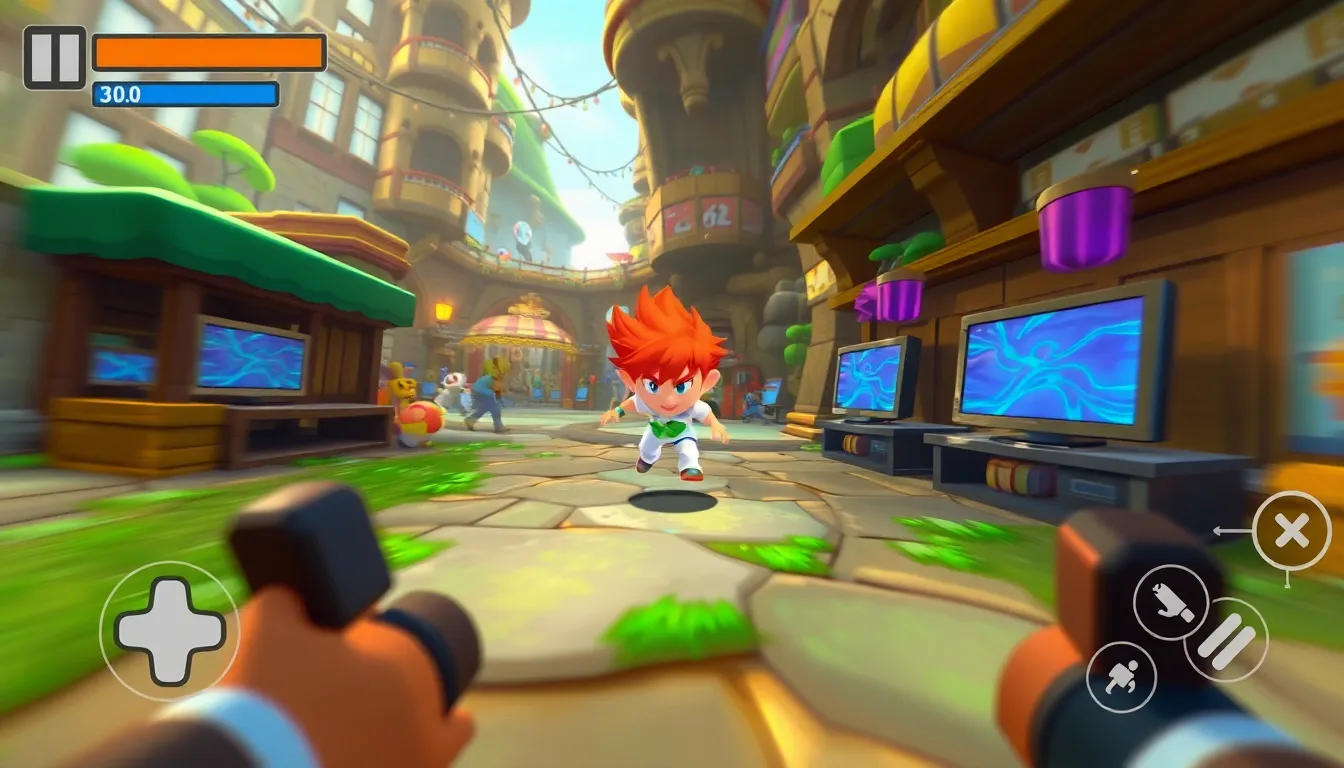
Cameras and viewports play an important role in game design, providing the perspective through which players experience the game world. The camera acts as the player’s eyes, defining what they see and how they perceive the environment. Understanding the dynamics of camera movement and positioning is essential for creating an engaging experience.
In a 2D game, the camera often follows the player’s character or object, ensuring that it remains centered on the action. This allows players to focus on gameplay without worrying about losing sight of their character. In 3D environments, the complexity increases, as cameras can rotate, tilt, and zoom, adding layers of depth and immersion.
Furthermore, the viewport defines the rectangular area of the screen where the game is rendered. Managing the viewport effectively can enhance performance and clarity, especially in more graphically intensive games. For example, if your game does not require rendering beyond a certain distance, you can implement frustum culling to avoid unnecessary processing of off-screen objects.
def frustum_culling(camera_position, objects):
    visible_objects = []
    for obj in objects:
        if is_visible(camera_position, obj):
            visible_objects.append(obj)
    return visible_objects
In conjunction with the camera, the viewport will also dictate how much of the world the player can see at any given moment. The aspect ratio of the viewport should match that of the game to avoid distortion. This can be particularly noticeable in fast-paced games where clarity and responsiveness are paramount.
Maintaining a consistent camera perspective is vital for player orientation. For instance, switching between different camera modes—such as first-person to third-person—can disorient players if not implemented thoughtfully. Smooth transitions between these modes can enhance the overall gaming experience.
def switch_camera_mode(current_mode):
    if current_mode == 'first_person':
        return 'third_person'
    return 'first_person'
As you design your game, consider how the camera and viewport work in tandem to deliver a cohesive visual experience. Testing various camera angles and viewport configurations can reveal what feels most intuitive for your players. Always prioritize clarity and responsiveness, as these factors are critical to engagement.
Moreover, the choice of camera can greatly influence gameplay mechanics. A fixed camera might offer strategic advantages in some game types, while a dynamic camera could enhance exploration in open-world designs. Understanding the implications of each style will guide you in creating a more tailored experience for your audience.
class Camera:
    def __init__(self, position, target):
        self.position = position
        self.target = target

    def update(self):
        self.position = self.smooth_follow(self.position, self.target)

    def smooth_follow(self, current_position, target_position):
        return current_position + (target_position - current_position) * 0.1
Incorporating these principles into your game design will not only improve the aesthetic quality but also enhance the functional aspects of gameplay. The interplay between the camera, viewport, and player interaction is a dance that, when executed well, can elevate a simple game into an immersive experience that captivates players.
Apple 2026 Mac mini Desktop Computer M6 chip | 12‑core CPU and 12‑core GPU, 16GB Unified Memory, 256GB SSD Storage
$898.00 (as of October 15, 2026 00:39 GMT +00:00 - More infoProduct prices and availability are accurate as of the date/time indicated and are subject to change. Any price and availability information displayed on [relevant Amazon Site(s), as applicable] at the time of purchase will apply to the purchase of this product.)Implementing a camera system that follows the player smoothly
To implement a camera system that follows the player smoothly, you need to consider the mechanics of interpolation. Smooth camera movement can significantly improve the player’s perception of motion and the overall fluidity of the gameplay. A common technique used in game development is linear interpolation, which helps the camera gradually catch up to the player’s position without abrupt jumps.
def lerp(start, end, t):
    return start + (end - start) * t
In this context, the lerp function allows the camera to smoothly transition from its current position to the player’s position over time. The parameter t typically ranges from 0 to 1, where 0 represents the current position and 1 represents the target position. By adjusting t based on the frame rate, you can control the speed at which the camera follows the player.
def update_camera(camera, player_position, delta_time):
    t = 0.1 * delta_time  # Adjust this value to change the speed
    camera.position = lerp(camera.position, player_position, t)
This update_camera function takes the camera object, the player’s position, and the time since the last frame (delta_time). By using this function in your game loop, you can ensure that the camera smoothly follows the player’s movements, creating a more immersive experience.
Another important aspect is the camera’s bounds. You may want to constrain the camera’s movement to prevent it from going outside the playable area. This can be achieved by defining boundaries and clamping the camera’s position accordingly.
def clamp(value, min_value, max_value):
    return max(min_value, min(value, max_value))

def update_camera_with_bounds(camera, player_position, delta_time, bounds):
    t = 0.1 * delta_time
    camera.position = lerp(camera.position, player_position, t)
    camera.position.x = clamp(camera.position.x, bounds['min_x'], bounds['max_x'])
    camera.position.y = clamp(camera.position.y, bounds['min_y'], bounds['max_y'])
By implementing these constraints, you can ensure that the camera remains within the desired area, preventing it from showing unwanted parts of the game world. Additionally, consider adding a damping effect to the camera movement to create a more natural feel. This can be achieved by adjusting the interpolation factor based on the distance between the camera and the player.
def damped_lerp(current_position, target_position, distance, damping_factor):
    t = damping_factor / (distance + 1e-5)  # Avoid division by zero
    return lerp(current_position, target_position, t)
Using this damped lerp function, you can create a camera that not only follows the player but does so in a way that feels more responsive and less robotic. This is particularly useful in fast-paced scenarios where rapid movements can lead to a jarring experience if not handled properly.
Keep in mind that the camera’s rotation can also play a significant role in how players perceive the game world. Implementing a system that allows the camera to tilt or rotate based on player input can enhance the feeling of control and immersion. For instance, in a racing game, allowing the camera to tilt into corners can give players a better sense of speed and direction.
def rotate_camera(camera, angle):
    camera.rotation += angle
This function can be used to adjust the camera’s rotation based on user input, making the experience more dynamic. However, be cautious with excessive rotation, as it can lead to disorientation. Balancing camera movement and rotation is key to a smooth experience.
As you refine your camera system, testing various configurations will provide insights into what works best for your game. The interplay between camera movement, player input, and game design will ultimately define the quality of the player’s experience. Always remember to keep performance considerations in mind, particularly when dealing with complex scenes or high object counts.
Optimizing viewport rendering for performance and clarity
To achieve optimized viewport rendering, you must consider various techniques that can significantly enhance performance while maintaining clarity. One effective approach is to implement level of detail (LOD) systems. LOD allows you to render objects with varying complexity based on their distance from the camera. By using simpler models for distant objects, you can reduce the processing load on the GPU.
def get_lod_model(distance):
    if distance < 50:
        return 'high_detail_model'
    elif distance < 100:
        return 'medium_detail_model'
    return 'low_detail_model'
This get_lod_model function determines which model to use based on the distance from the camera. By integrating this function into your rendering pipeline, you can dynamically adjust the detail level of objects, thus optimizing performance without sacrificing visual quality.
Another technique is to use occlusion culling. This method prevents the rendering of objects that are not visible to the camera, effectively reducing the number of draw calls. Implementing occlusion queries can help identify which objects are currently visible and which can be skipped during rendering.
def is_occluded(camera, object):
    return not camera_frustum_intersects(camera, object)
In the is_occluded function, you can check whether an object intersects with the camera's frustum. If it does not, you can safely skip rendering that object, which can lead to significant performance gains, especially in scenes with many overlapping objects.
Batching draw calls is another strategy worth considering. By grouping similar objects together, you can minimize the overhead associated with multiple draw calls. That is particularly effective for static objects that do not change frequently.
def batch_draw(objects):
    batched_objects = group_objects_by_material(objects)
    for batch in batched_objects:
        draw_batch(batch)
The batch_draw function groups objects by their material to reduce state changes during rendering. By minimizing these state changes, you can increase rendering efficiency and maintain a higher frame rate.
Moreover, using framebuffer objects (FBOs) can enhance rendering clarity. FBOs allow you to render scenes to textures instead of directly to the screen. This technique can be useful for post-processing effects, such as blurring or bloom, enhancing the visual fidelity of your game without a significant performance hit.
def render_to_fbo(scene, fbo):
    bind_fbo(fbo)
    clear_fbo()
    draw_scene(scene)
    unbind_fbo()
In the render_to_fbo function, you can see how to bind an FBO, clear it, and then render the scene to that FBO. This allows you to apply various post-processing effects before displaying the final output on the screen.
Furthermore, consider implementing a dynamic resolution scaling technique. This allows your game to adjust the resolution based on the current performance metrics, ensuring a smooth experience even during demanding scenes. By lowering the resolution during performance dips and restoring it when performance stabilizes, you can maintain a consistent frame rate.
def adjust_resolution(current_fps, target_fps):
    if current_fps < target_fps:
        decrease_resolution()
    else:
        restore_resolution()
The adjust_resolution function monitors the current frame rate and adjusts the resolution accordingly. This proactive approach can help maintain performance without requiring significant player intervention.
Finally, using efficient texture management especially important for optimizing viewport rendering. Loading textures in a compressed format can drastically reduce memory usage and improve loading times, making it easier to manage resources effectively.
def load_texture(file_path):
    texture = compress_texture(file_path)
    store_in_memory(texture)
    return texture
The load_texture function demonstrates how to load and compress textures before storing them in memory. By managing texture resources wisely, you can enhance both performance and clarity in your rendering pipeline.