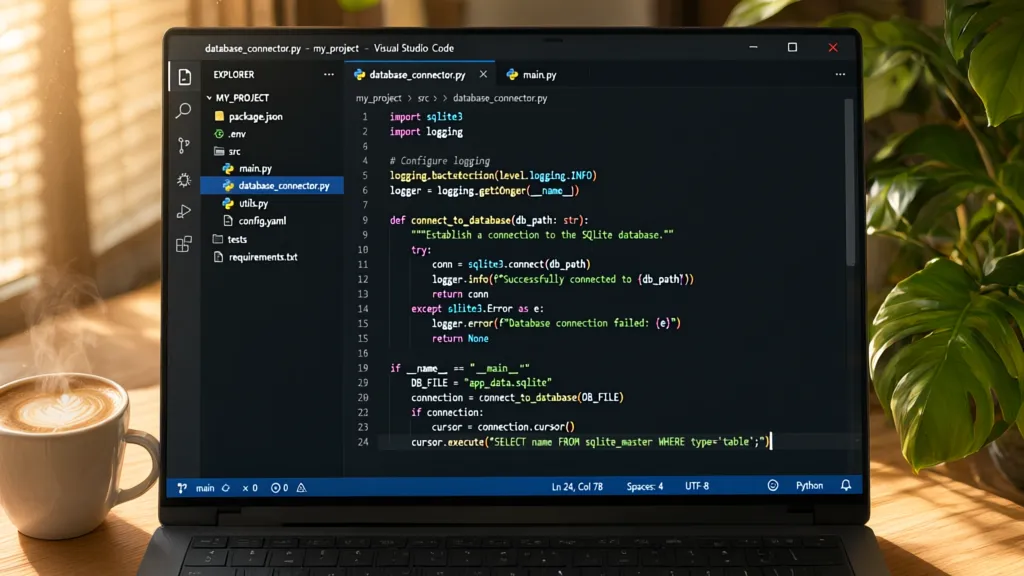
The SQLite3 module in Python is a powerful tool that allows developers to interact with SQLite databases seamlessly. It provides a robust interface for executing SQL commands and managing database connections. Understanding its core functionalities is essential for anyone looking to leverage SQLite within their applications.
SQLite is a lightweight, serverless, self-contained SQL database engine. The SQLite3 module provides a simpler API for creating, querying, and manipulating SQLite databases directly from Python code. This makes it particularly useful for small to medium-sized applications, data analysis tasks, and even prototyping larger systems.
At its heart, the SQLite3 module facilitates a connection to an SQLite database. This connection serves as the gateway for executing SQL commands and retrieving results. The module is part of Python’s standard library, so you don’t need to install any third-party packages to get started.
To use the SQLite3 module, you typically start by importing it into your Python script. Here’s how you can do that:
import sqlite3
Once imported, you can establish a connection to your SQLite database by calling the sqlite3.connect() function, passing the name of your database file as an argument. If the database file does not exist, SQLite will create it for you.
connection = sqlite3.connect('my_database.db')
With a connection established, you can create a cursor object. The cursor is used to execute SQL commands and fetch data from the database. That is done using the cursor() method on the connection object.
cursor = connection.cursor()
The cursor allows you to perform a variety of operations, such as creating tables, inserting data, and querying records. Each SQL command is executed using the execute() method of the cursor. For example, to create a simple table, you would write:
cursor.execute('''
CREATE TABLE users (
    id INTEGER PRIMARY KEY,
    username TEXT NOT NULL,
    email TEXT NOT NULL
)
''')
After executing SQL commands, it is a good practice to commit your changes to the database. This ensures that all modifications are saved. You can do this using the commit() method on the connection object:
connection.commit()

Charger for MacBook Air MacBook Pro 13 14 15 16 inch 2025 2024 2023 2022 2021 2020, M1 M2 M3 M4 Laptop 70W USB C Power Adapter, iPad, LED, 6.6FT USB-C Cable, Charging as Fast as Original Quality
$23.39 (as of October 23, 2026 20:22 GMT +00:00 - More infoProduct prices and availability are accurate as of the date/time indicated and are subject to change. Any price and availability information displayed on [relevant Amazon Site(s), as applicable] at the time of purchase will apply to the purchase of this product.)Establishing a connection to your database
When you’re done with your database operations, it is crucial to close the connection properly. This can be achieved with the close() method on the connection object. Failing to close the connection can lead to database locks or memory leaks.
connection.close()
Handling potential errors during database operations is also important. You can use a try-except block to manage exceptions that may arise, such as operational errors or integrity errors. This ensures your application can handle issues gracefully without crashing.
try:
    connection = sqlite3.connect('my_database.db')
    cursor = connection.cursor()
    cursor.execute('''
    CREATE TABLE users (
        id INTEGER PRIMARY KEY,
        username TEXT NOT NULL,
        email TEXT NOT NULL
    )
    ''')
    connection.commit()
except sqlite3.Error as e:
    print(f'An error occurred: {e}')
finally:
    if connection:
        connection.close()
By following these practices, you can create a solid foundation for working with SQLite in your Python applications. The combination of connecting to the database, executing commands, and handling errors will allow you to build reliable and efficient data-driven solutions. As you gain more experience with the SQLite3 module, you may find yourself delving into more advanced features, such as parameterized queries and transaction management.
Parameterized queries are essential for preventing SQL injection attacks, ensuring that user input is safely handled. Instead of directly inserting variables into your SQL statements, you use placeholders. That’s done by using the ? placeholder for values, which is then substituted by the actual values when executing the command. Here’s an example:
username = 'johndoe'
email = '[email protected]'
cursor.execute('''
INSERT INTO users (username, email) VALUES (?, ?)
''', (username, email))
This approach not only enhances security but also improves the readability and maintainability of your code. As you continue to work with the SQLite3 module, you’ll discover additional functionalities, such as transaction control using BEGIN, COMMIT, and ROLLBACK statements, which provide finer control over your database operations.
Transactions allow you to group multiple operations into a single unit of work. If any operation within the transaction fails, you can roll back all changes to maintain data integrity. Here’s a simple implementation of a transaction:
try:
    connection = sqlite3.connect('my_database.db')
    cursor = connection.cursor()
    connection.execute('BEGIN TRANSACTION')

    cursor.execute('''
    INSERT INTO users (username, email) VALUES (?, ?)
    ''', (username, email))

    # Additional operations can be added here

    connection.commit()
except sqlite3.Error as e:
    connection.rollback()
    print(f'An error occurred, transaction rolled back: {e}')
finally:
    if connection:
        connection.close()
Executing SQL commands with Python
Understanding how to effectively execute SQL commands with Python requires familiarity with the various SQL operations you can perform. Besides creating tables and inserting data, you might often need to query existing records. The SELECT statement is fundamental for retrieving data from your database. Here’s how you can use it:
cursor.execute('SELECT * FROM users')
rows = cursor.fetchall()
for row in rows:
    print(row)
This will fetch all records from the users table and print each row. The fetchall() method retrieves all results concurrently, but if you expect a large amount of data, consider using fetchone() or fetchmany(size) to manage memory usage more effectively.
# Fetch one record at a time
cursor.execute('SELECT * FROM users')
while True:
    row = cursor.fetchone()
    if row is None:
        break
    print(row)
When dealing with multiple results, it’s prudent to filter your queries using WHERE clauses. This allows you to retrieve only the rows that meet specific criteria. For instance, if you want to find a user by their username, you would write:
username_to_find = 'johndoe'
cursor.execute('SELECT * FROM users WHERE username = ?', (username_to_find,))
user = cursor.fetchone()
if user:
    print(user)
else:
    print('User not found.')
Updating records is another common operation. You can modify existing entries in your database using the UPDATE statement. Here’s an example that updates a user’s email:
new_email = '[email protected]'
cursor.execute('''
UPDATE users SET email = ? WHERE username = ?
''', (new_email, username_to_find))
connection.commit()
Similarly, if you need to delete a record, you can use the DELETE statement. It’s important to be cautious with deletions, as this operation is irreversible unless you have set up a backup mechanism:
cursor.execute('DELETE FROM users WHERE username = ?', (username_to_find,))
connection.commit()
As you write SQL commands, keep in mind that you can also create views, indexes, and triggers to enhance the functionality of your database. Views allow you to create virtual tables based on the result of a query, which can simplify complex queries. Indexes improve the speed of data retrieval operations on a database table, while triggers can automate certain actions in response to specific events in the database.
# Creating a view
cursor.execute('''
CREATE VIEW active_users AS
SELECT * FROM users WHERE status = 'active'
''')
To create an index, you might use:
cursor.execute('CREATE INDEX idx_username ON users (username)')
Triggers can be set up to perform actions automatically when certain conditions are met. For example, you could create a trigger that logs changes to the database:
cursor.execute('''
CREATE TRIGGER log_user_changes
AFTER UPDATE ON users
BEGIN
    INSERT INTO user_logs (username, changed_at)
    VALUES (NEW.username, CURRENT_TIMESTAMP);
END
''')
As you explore these advanced features, remember that maintaining the integrity and performance of your database is paramount. Regularly reviewing your SQL commands and optimizing queries can significantly enhance the efficiency of your application. Furthermore, consider implementing error handling and transactions rigorously to avoid potential pitfalls.
As you gain more experience, you’ll find that writing efficient SQL commands becomes second nature. You’ll also likely encounter more complex scenarios that require deeper knowledge of both SQL and the SQLite3 module. This includes optimizing queries for performance, understanding the underlying data types, and effectively managing database migrations as your application evolves.
Closing your database connection safely
When you are done with your database operations, it’s crucial to close the connection properly. This can be achieved with the close() method on the connection object. Failing to close the connection can lead to database locks or memory leaks.
connection.close()
Handling potential errors during database operations is also important. You can use a try-except block to manage exceptions that may arise, such as operational errors or integrity errors. This ensures your application can handle issues gracefully without crashing.
try:
    connection = sqlite3.connect('my_database.db')
    cursor = connection.cursor()
    cursor.execute('''
    CREATE TABLE users (
        id INTEGER PRIMARY KEY,
        username TEXT NOT NULL,
        email TEXT NOT NULL
    )
    ''')
    connection.commit()
except sqlite3.Error as e:
    print(f'An error occurred: {e}')
finally:
    if connection:
        connection.close()
By following these practices, you can create a solid foundation for working with SQLite in your Python applications. The combination of connecting to the database, executing commands, and handling errors will allow you to build reliable and efficient data-driven solutions. As you gain more experience with the SQLite3 module, you may find yourself delving into more advanced features, such as parameterized queries and transaction management.
Parameterized queries are essential for preventing SQL injection attacks, ensuring that user input is safely handled. Instead of directly inserting variables into your SQL statements, you use placeholders. This is done by using the ? placeholder for values, which is then substituted by the actual values when executing the command. Here’s an example:
username = 'johndoe'
email = '[email protected]'
cursor.execute('''
INSERT INTO users (username, email) VALUES (?, ?)
''', (username, email))
This approach not only enhances security but also improves the readability and maintainability of your code. As you continue to work with the SQLite3 module, you’ll discover additional functionalities, such as transaction control using BEGIN, COMMIT, and ROLLBACK statements, which provide finer control over your database operations.
Transactions allow you to group multiple operations into a single unit of work. If any operation within the transaction fails, you can roll back all changes to maintain data integrity. Here’s a simple implementation of a transaction:
try:
    connection = sqlite3.connect('my_database.db')
    cursor = connection.cursor()
    connection.execute('BEGIN TRANSACTION')

    cursor.execute('''
    INSERT INTO users (username, email) VALUES (?, ?)
    ''', (username, email))

    # Additional operations can be added here

    connection.commit()
except sqlite3.Error as e:
    connection.rollback()
    print(f'An error occurred, transaction rolled back: {e}')
finally:
    if connection:
        connection.close()
Understanding how to effectively execute SQL commands with Python requires familiarity with the various SQL operations you can perform. Besides creating tables and inserting data, you might often need to query existing records. The SELECT statement is fundamental for retrieving data from your database. Here’s how you can use it:
cursor.execute('SELECT * FROM users')
rows = cursor.fetchall()
for row in rows:
    print(row)
This will fetch all records from the users table and print each row. The fetchall() method retrieves all results at once, but if you expect a large amount of data, consider using fetchone() or fetchmany(size) to manage memory usage more effectively.
# Fetch one record at a time
cursor.execute('SELECT * FROM users')
while True:
    row = cursor.fetchone()
    if row is None:
        break
    print(row)
When dealing with multiple results, it’s prudent to filter your queries using WHERE clauses. This allows you to retrieve only the rows that meet specific criteria. For instance, if you want to find a user by their username, you would write:
username_to_find = 'johndoe'
cursor.execute('SELECT * FROM users WHERE username = ?', (username_to_find,))
user = cursor.fetchone()
if user:
    print(user)
else:
    print('User not found.')
Updating records is another common operation. You can modify existing entries in your database using the UPDATE statement. Here’s an example that updates a user’s email:
new_email = '[email protected]'
cursor.execute('''
UPDATE users SET email = ? WHERE username = ?
''', (new_email, username_to_find))
connection.commit()
Similarly, if you need to delete a record, you can use the DELETE statement. It’s important to be cautious with deletions, as this operation is irreversible unless you have set up a backup mechanism:
cursor.execute('DELETE FROM users WHERE username = ?', (username_to_find,))
connection.commit()
As you write SQL commands, keep in mind that you can also create views, indexes, and triggers to enhance the functionality of your database. Views allow you to create virtual tables based on the result of a query, which can simplify complex queries. Indexes improve the speed of data retrieval operations on a database table, while triggers can automate certain actions in response to specific events in the database.
# Creating a view
cursor.execute('''
CREATE VIEW active_users AS
SELECT * FROM users WHERE status = 'active'
''')
To create an index, you might use:
try:
    connection = sqlite3.connect('my_database.db')
    cursor = connection.cursor()
    cursor.execute('''
    CREATE TABLE users (
        id INTEGER PRIMARY KEY,
        username TEXT NOT NULL,
        email TEXT NOT NULL
    )
    ''')
    connection.commit()
except sqlite3.Error as e:
    print(f'An error occurred: {e}')
finally:
    if connection:
        connection.close()
Triggers can be set up to perform actions automatically when certain conditions are met. For example, you could create a trigger that logs changes to the database:
try:
    connection = sqlite3.connect('my_database.db')
    cursor = connection.cursor()
    cursor.execute('''
    CREATE TABLE users (
        id INTEGER PRIMARY KEY,
        username TEXT NOT NULL,
        email TEXT NOT NULL
    )
    ''')
    connection.commit()
except sqlite3.Error as e:
    print(f'An error occurred: {e}')
finally:
    if connection:
        connection.close()
As you explore these advanced features, remember that maintaining the integrity and performance of your database is paramount. Regularly reviewing your SQL commands and optimizing queries can significantly enhance the efficiency of your application. Furthermore, consider implementing error handling and transactions rigorously to avoid potential pitfalls.